Are you ready to add a personal touch to your celebrations? Making a festive banner with your Cricut is easier than you think—and it’s a fun way to brighten up any party or holiday.
Imagine your guests’ eyes lighting up when they see a banner made just by you, full of colors and messages that mean something special. In this guide, you’ll discover simple steps to create a stunning banner that stands out. Whether you’re new to Cricut or have some experience, by the end, you’ll have all the tips to make your next event unforgettable.
Let’s get started and turn your ideas into a festive masterpiece!
Materials Needed
Gathering the right materials makes crafting a festive banner easier and fun. Preparing before starting saves time and keeps the project smooth. This section lists the essential items needed for creating your banner with a Cricut machine.
Cricut Machine Options
Choose a Cricut machine that fits your project size and skill. The Cricut Explore Air 2 is great for beginners and handles most materials. The Cricut Maker offers more versatility with thicker materials. Each model works well for cutting vinyl and paper for banners.
Banner Base Materials
Select a strong but light base for your banner. Cardstock paper is popular for its stiffness and color variety. Felt or fabric can add a soft, festive touch. You can also use thin wood or chipboard for a sturdy banner base.
Vinyl And Iron-on Choices
Vinyl is perfect for bright, clean designs on banners. Choose permanent vinyl for outdoor use or removable vinyl for indoor. Iron-on vinyl works well on fabric banner bases. Pick colors that match your festive theme for better impact.
Additional Craft Supplies
Keep scissors, weeding tools, and transfer tape ready for detailed work. Glue dots or double-sided tape help attach pieces securely. A cutting mat protects your work surface and holds materials steady. Ribbon or string is needed to hang your finished banner.
Designing Your Banner
Designing your banner is a fun and creative part of making a festive decoration. It sets the mood and style for your celebration. Careful design helps your banner stand out and match the event perfectly. This section guides you through simple steps to create a beautiful banner using your Cricut machine.
Start by thinking about the overall look. Choose colors and shapes that fit the theme. Then pick fonts that are easy to read and look good together. Use Cricut Design Space to bring your ideas to life. You can also add your own images for a personal touch.
Choosing A Theme
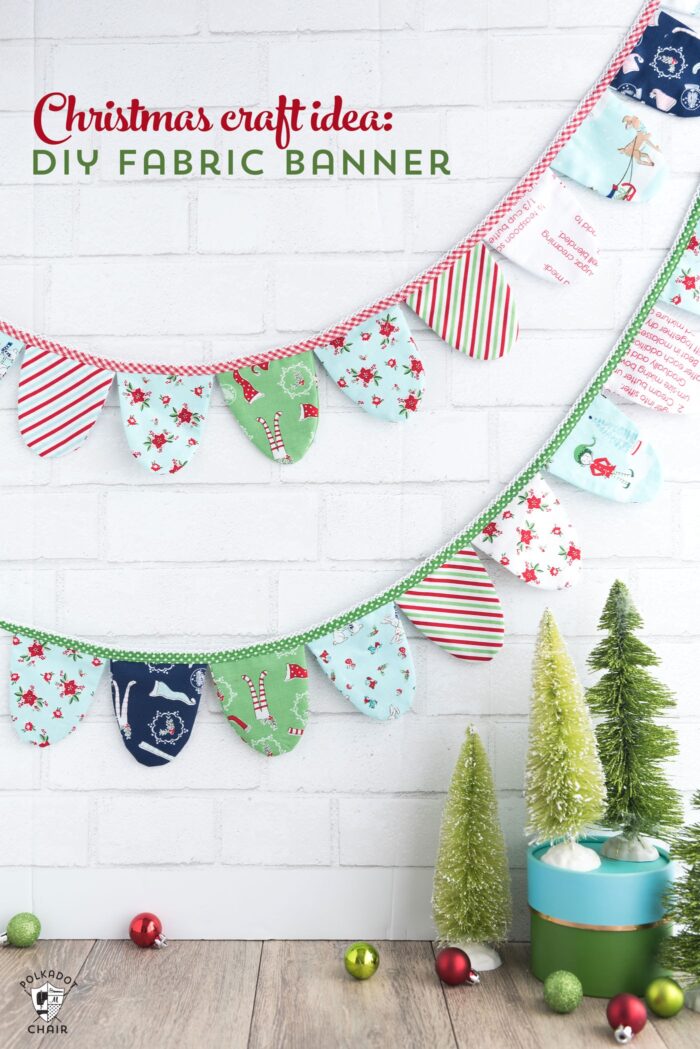
Pick a clear theme for your banner. It could be for a birthday, holiday, or special event. Themes help select colors and shapes. For example, a Christmas banner might use red, green, and gold. A birthday banner can be bright and colorful. Keep the theme simple to avoid confusion.
Selecting Fonts And Colors
Choose fonts that are easy to read from a distance. Avoid fancy scripts that can be hard to see. Mix one or two fonts for variety. Use colors that match your theme and are bright enough to catch attention. Try contrasting colors for text and background. This makes words pop.
Using Cricut Design Space
Open Cricut Design Space to start your design. Use the text tool to add words. Adjust size and spacing to fit your banner. Experiment with shapes and borders to decorate. Use layers for different colors and materials. Save your work often to avoid losing progress.
Importing Custom Images
You can upload your own images into Cricut Design Space. Choose simple images that cut well. PNG or SVG files work best. Use custom images to add logos or special icons. Resize images to fit your banner space. This step makes your banner unique and personal.
Cutting Your Banner Pieces
Cutting your banner pieces is an important step in creating a festive banner with Cricut. It shapes your design and prepares your materials for assembly. This process needs attention to detail to ensure clean cuts and perfect shapes. Follow each step carefully for the best results.
Setting Up The Cricut Machine
Start by turning on your Cricut machine. Connect it to your computer or mobile device using Bluetooth or a USB cable. Open the Cricut Design Space app. Select your banner design. Check that your machine matches the design settings. This ensures the machine knows what to cut.
Loading Materials Correctly
Place your chosen material on the cutting mat. Smooth out any wrinkles or bubbles. Align the mat with the guides on the Cricut. Load the mat into the machine by pressing the load button. Proper placement helps the machine cut accurately.
Adjusting Cut Settings
Choose the material type in the Design Space. This sets the blade depth and pressure. For paper banners, select ‘Cardstock’ or ‘Paper.’ For fabric, pick the right fabric setting. Adjust the cut pressure if needed for thicker materials. Correct settings prevent tearing or incomplete cuts.
Troubleshooting Common Issues
Blades not cutting through? Clean or replace the blade. Material not sticking? Use a new cutting mat or tape edges. Cuts off-center? Reload the mat and check alignment. Machine won’t load mat? Restart the machine and try again. Fixing these issues saves time and frustration.

Assembling The Banner
Assembling the banner is an exciting step in your Cricut project. It brings your design to life and sets the festive mood. This stage involves preparing your vinyl or iron-on pieces, applying heat transfer if needed, and putting everything together. Follow these clear steps to create a beautiful, custom banner.
Weeding Vinyl Or Iron-on
Start by removing the extra vinyl around your design. Use a weeding tool to pull away small pieces carefully. Take your time to avoid tearing the material. This process makes your design clean and ready to apply.
Applying Heat Transfer
Place the iron-on design on your banner fabric. Use a heat press or iron to apply heat evenly. Press firmly for the recommended time. Let the vinyl cool before peeling off the backing. This step ensures your design sticks well and lasts long.
Attaching Banner Pieces
Arrange your banner pieces in the order you want. Use string or ribbon to connect them. Punch holes at the top of each piece for threading. Secure the pieces tightly but leave space for easy hanging.
Adding Decorative Elements
Enhance your banner with extra decorations. Add ribbons, glitter, or small ornaments to match the theme. Glue or tape these elements carefully. These little touches make your banner unique and festive.
Tips For A Professional Finish
Creating a festive banner with your Cricut is fun and rewarding. To make it look professional, small details matter. These tips will help you achieve a clean and polished finish. They focus on spacing, adhesives, storage, and customization.
Ensuring Even Spacing
Even spacing makes your banner easy to read and attractive. Use a ruler or a spacing tool to keep letters aligned. Lay out all pieces on a flat surface before attaching. Measure gaps between letters to maintain consistency. This approach avoids a cluttered or uneven look.
Using Quality Adhesives
Choose strong adhesives that hold well on your banner material. Double-sided tape or glue dots work great for paper and cardstock. For fabric banners, use fabric glue or heat-activated adhesive. Avoid glue that causes wrinkles or stains. Test adhesives on a small piece first to ensure they work well.
Storage And Care
Store your banner flat or rolled gently to prevent creases. Keep it in a dry, cool place away from sunlight. Use a protective cover like a plastic bag or folder. Handle your banner with clean hands to avoid dirt or damage. Proper care helps your banner last for many celebrations.
Customizing For Different Occasions
Change colors, fonts, and shapes to fit each event. Add themed icons like stars for holidays or balloons for birthdays. Use seasonal materials like glitter paper for winter or pastel tones for spring. Personalize messages to match the celebration. Small custom touches make your banner special.

Frequently Asked Questions
How Do I Start Making A Festive Banner With Cricut?
Begin by selecting your banner design in Cricut Design Space. Choose festive fonts and images. Prepare your materials like cardstock or vinyl. Set up your Cricut machine and follow on-screen instructions to cut your design precisely.
What Materials Work Best For Cricut Festive Banners?
Cardstock, vinyl, and iron-on materials are ideal. Cardstock offers sturdiness, vinyl is versatile for smooth surfaces, and iron-on works for fabric banners. Choose based on your banner’s intended use and look for vibrant colors to enhance festivity.
Can Beginners Easily Use Cricut For Banner Making?
Yes, Cricut is beginner-friendly with guided steps. Design Space provides templates and tutorials. Start with simple shapes and letters. Practice cutting and assembling before attempting complex designs. Patience and creativity will yield great results.
How Do I Assemble My Cricut Festive Banner?
After cutting, use glue or tape to attach banner pieces to string or ribbon. Ensure even spacing between letters or shapes. Hang your banner securely on walls or doorways for a festive look. Adjust for balance and visibility.
Conclusion
Creating a festive banner with Cricut is fun and simple. You can choose colors and shapes that suit your event. Cutting and assembling the pieces takes just a little time. This craft adds a personal touch to your celebrations. Try different designs to fit any holiday or party theme.
Enjoy the process and share your handmade banner with friends. Your decorations will stand out and bring joy to everyone. Give it a try and see how easy crafting can be!