Want to create a unique shirt that shows off your style? Making a shirt with Cricut is easier than you think.
Whether you’re new to crafting or looking to try something fresh, this guide will walk you through every step. You’ll learn how to turn simple materials into a custom shirt that feels personal and looks professional. Ready to impress your friends and wear your creativity?
Keep reading, and let’s get started!
Materials Needed
Making a shirt with a Cricut machine is fun and easy. You need the right materials to get the best results. Knowing what to use helps you create a shirt that looks great and lasts long.
Choosing The Right Shirt
Pick a shirt made from cotton or a cotton blend. These fabrics hold heat transfer vinyl well. Choose a light or medium color shirt. Dark colors need special vinyl for good results. Make sure the shirt fits you or the person wearing it.
Selecting Cricut Tools
Use a Cricut cutting machine like the Cricut Explore Air 2 or Cricut Maker. You also need a weeding tool to remove extra vinyl pieces. A scraper tool helps to press the vinyl smoothly. A heat press or an iron is required to apply the vinyl to the shirt.
Picking Heat Transfer Vinyl
Choose heat transfer vinyl (HTV) made for fabric. It should be easy to cut and peel. There are many colors and finishes, such as matte or shiny. Pick the type that matches your shirt and design. Make sure the HTV is compatible with your Cricut machine.

Setting Up Cricut Design Space
Setting up Cricut Design Space is the first step to making your custom shirt. This software lets you create and edit your design before cutting it. It works on computers and mobile devices. The interface is easy to use, even for beginners. You just need to know some basics to get started.
Creating Your Design
Open Cricut Design Space and start a new project. Use the tools to draw shapes or add text. You can also upload images from your device. Choose simple designs for your first shirt. Keep your design clear and bold. This helps the Cricut machine cut the design accurately.
Adjusting Size And Placement
Next, change the size of your design to fit your shirt. Use the resize handles on the screen. Make sure it is not too big or too small. Place the design where you want it on the shirt. Usually, the chest area works well. Check the measurements carefully before cutting.
Cutting The Design
Cutting the design is an important step in making a shirt with Cricut. It shapes your artwork and prepares it for transfer. Accurate cutting ensures the design looks clear and neat on the shirt.
Follow simple steps to get the best results. Prepare the machine, load the vinyl, and start the cut carefully. Each step matters for a perfect design.
Preparing The Machine
First, turn on your Cricut machine and connect it to your computer or phone. Open the Cricut Design Space app. Check that the blade is clean and sharp for smooth cutting. Select the right settings for vinyl cutting. Adjust the pressure and speed based on your vinyl type. This avoids tearing or incomplete cuts.
Loading The Vinyl
Place your vinyl sheet on the cutting mat, sticky side up. Smooth out any wrinkles or bubbles with a scraper tool. Align the mat with the guides on the machine. Insert the mat gently until the rollers grab it. This keeps the vinyl steady during cutting. Make sure the vinyl is flat and secure.
Starting The Cut
After loading the vinyl, select the “Make It” option in the app. Review the design layout on the screen. Press the “Go” button on the Cricut machine to start cutting. Stay close to watch the process. Pause or stop if you see any issues. Once done, unload the mat carefully to avoid lifting the vinyl.
Weeding The Vinyl
Weeding the vinyl is an important step when making a shirt with Cricut. This process removes extra vinyl parts that are not part of your design. Clean weeding helps your design look neat and clear on the shirt.
Removing Excess Material
Start by peeling off the vinyl sheet from the cutting mat. Use a weeding tool or tweezers to lift the corner of the vinyl. Gently pull away the parts of the vinyl that are not needed.
Work slowly to avoid tearing small pieces. Remove all vinyl outside the design edges. Check your work to ensure no extra bits remain.
Tips For Detailed Designs
Detailed designs need extra care during weeding. Use a bright light to see small cuts clearly. Work on a clean, flat surface to avoid mistakes.
Use sharp tools like a needle or pin for tiny parts. Be patient and take breaks to avoid frustration. Remove small pieces carefully to keep the design intact.
Applying The Design To The Shirt
Applying the design to the shirt is a key step in making a Cricut shirt. This process makes your design stick well and look great. It takes care and the right tools.
Follow each step carefully for the best result. The heat and pressure make the vinyl attach to the fabric. Avoid rushing to keep the design neat and durable.
Setting Up The Heat Press Or Iron
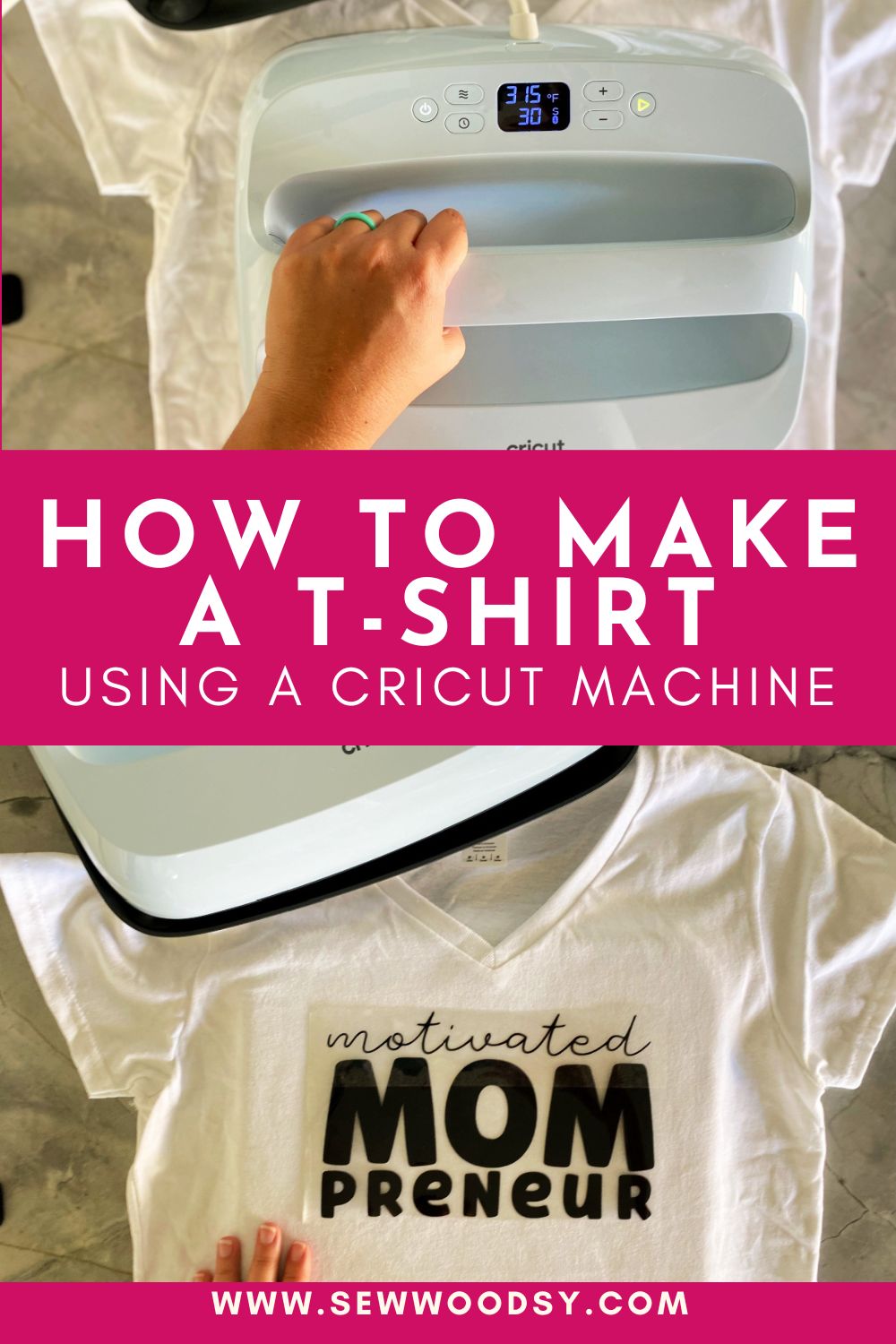
Turn on your heat press or iron and set it to the right temperature. Use the setting suggested for your vinyl type. Let it heat fully before starting.
If using an iron, set it to high cotton setting without steam. Place the shirt on a flat, hard surface. Avoid ironing boards that are soft or uneven.
Positioning The Vinyl
Place the shirt flat and smooth out wrinkles. Position your vinyl design on the shirt where you want it. Use a ruler or tape to keep it straight and centered.
Cover the vinyl with a Teflon sheet or parchment paper. This protects the vinyl and shirt from direct heat. Make sure the vinyl side is touching the fabric.
Heat Pressing Techniques
Press the heat press or iron down firmly on the design. Hold it steady for the time recommended by the vinyl instructions. Do not move the press or iron back and forth.
After pressing, let the vinyl cool slightly. Slowly peel off the carrier sheet. Check if the vinyl sticks well. If not, press again with heat and pressure.
Finishing Touches
After pressing your design onto the shirt, the final steps are key. These finishing touches make your shirt look great and last longer. Handle your shirt with care to keep the design bright and neat.
Peeling The Carrier Sheet
Wait a few seconds before peeling the carrier sheet. This helps the design stick well to the fabric. Peel the sheet slowly and carefully at an angle. If you see any part lifting, press it back down and heat again briefly. Avoid pulling too fast to stop the design from tearing or lifting.
Caring For Your Custom Shirt
Wash your shirt inside out to protect the design. Use cold water and a gentle cycle. Avoid bleach or harsh detergents that can fade the print. Hang dry or tumble dry on low heat. Iron inside out or place a cloth over the design before ironing. These steps keep your shirt looking fresh longer.
Troubleshooting Common Issues
Troubleshooting is a key part of making shirts with Cricut. Small problems can stop your project. Fixing these quickly saves time and material. Understanding common issues helps you get better results. Below are solutions for typical problems you might face.
Vinyl Not Sticking
Vinyl may not stick if the shirt surface is dirty. Clean the fabric with a lint roller or cloth. Use firm pressure when applying vinyl. Check if the vinyl backing is fully removed. Try using a heat press or iron at the correct temperature. Some vinyl types need a stronger press. Always test on a scrap fabric first.
Design Distortion
Designs can stretch or warp during cutting or pressing. Use the correct settings for your material on the Cricut machine. Avoid pulling the vinyl while weeding. Press the shirt on a flat, stable surface. Let the vinyl cool before removing the carrier sheet. This helps keep the design shape intact.
Uneven Heat Application
Uneven heat causes poor vinyl adhesion and bubbling. Use a heat press or iron that heats evenly. Move the iron slowly and cover the entire design. Avoid pressing too long on one spot. Use a protective sheet like parchment paper between the iron and vinyl. Check your heat source’s temperature with an external tool for accuracy.
Frequently Asked Questions
How Do I Prepare Fabric For Cricut Shirt Making?
To prepare fabric, wash and dry it to remove chemicals and shrinkage. Iron the fabric to create a smooth surface. Use a strong grip mat to hold the fabric during cutting. These steps ensure precise and clean cuts for your Cricut shirt project.
What Materials Are Needed To Make A Shirt With Cricut?
You need a Cricut machine, heat transfer vinyl (HTV), a plain shirt, a cutting mat, a weeding tool, and a heat press or iron. These materials help you design, cut, and apply custom designs to your shirt easily and professionally.
Can Beginners Use Cricut To Make Custom Shirts?
Yes, beginners can use Cricut to make shirts. The machine is user-friendly with step-by-step software guidance. Start with simple designs and basic HTV. Practice cutting and weeding techniques to improve skills and create personalized shirts confidently.
How Do I Apply Heat Transfer Vinyl On A Shirt?
Place the cut HTV design on the shirt with the shiny side up. Use a heat press or iron with recommended temperature and pressure. Press for 10-15 seconds, then peel the carrier sheet carefully. This ensures your design adheres well and lasts long.
Conclusion
Making a shirt with Cricut is simple and fun. You can create many designs at home. Just follow the steps carefully and take your time. Practice helps you get better and enjoy the process. Personalizing shirts is a great way to show your style.
Now, you have the tools and know-how to start. Try different ideas and see what you like best. Happy crafting!